
Pulling an ACH Exceptions Report
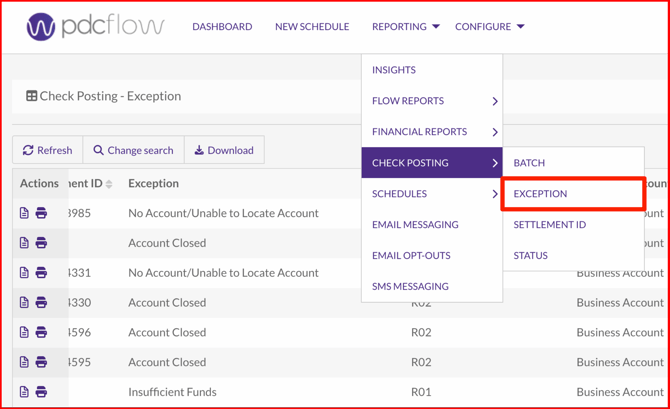
Navigate to Reporting > Check Posting > Exception. Update the Search Options to match the necessary start and end dates. Click Search and the relevant transactions will be listed.
From this list page, you can view your Exception Report. You can download this report for your records by clicking the Download button.
You can view details on any transaction by clicking the document icon.
Transaction Details
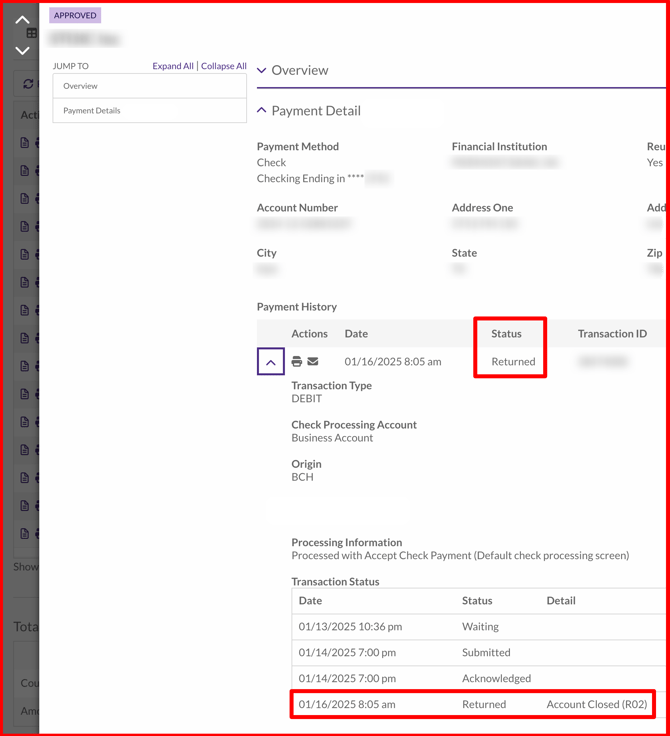
On the details page for the transaction, scroll to the Transaction Status table to view the code details.
Need Help?
Email our Customer Success team at support@pdcflow.com.